Reports
Under Reports in the console you see what was sold and paid. Only administrators see the reports.
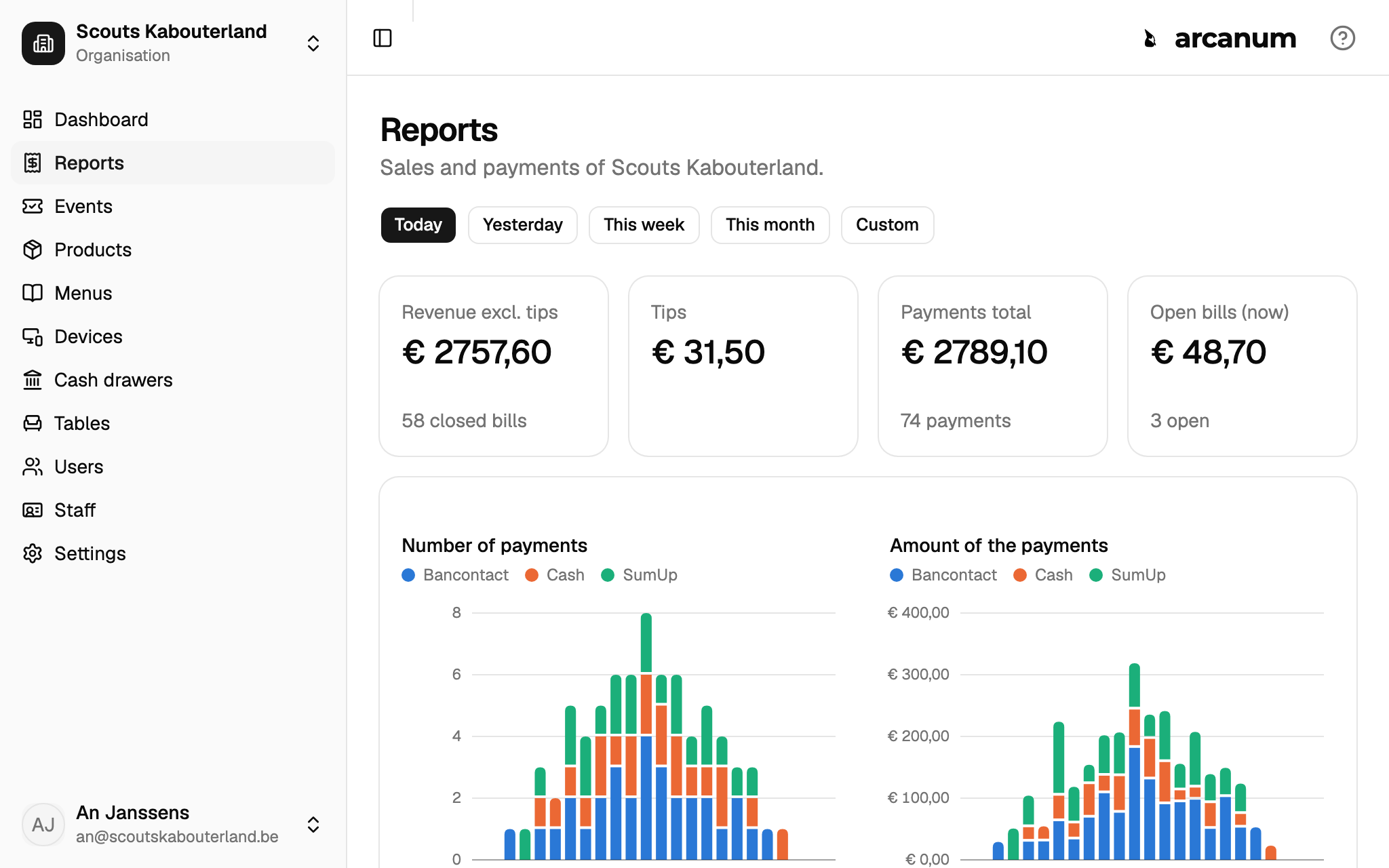
Choosing a period or event
At the top, choose the Period: Today, Yesterday, This week, This month, or Custom with a start and end date. Or choose an Event: then it covers the days of that event, or choose Whole event.
What you see
- Revenue excl. tips, with the number of closed bills.
- Tips.
- Payments total, with the number of payments.
- Open bills (now): what is not paid yet.
Below that, in charts and tables:
- By payment method: cash, SumUp, Bancontact, with the number, the amount and the tips.
- By category and By product: what was sold.
- By VAT rate: the revenue and the VAT per rate.
- Payments in this period: every payment, with the time, the device and who handled it.
You set the VAT rates of the products under Products. Have your accountant check them.
The cash-up per shift
If you work with cash drawers, you find the expected and counted amount per shift and the difference in the console under Cash drawers → Latest shifts. See The console.