Setting up Bancontact
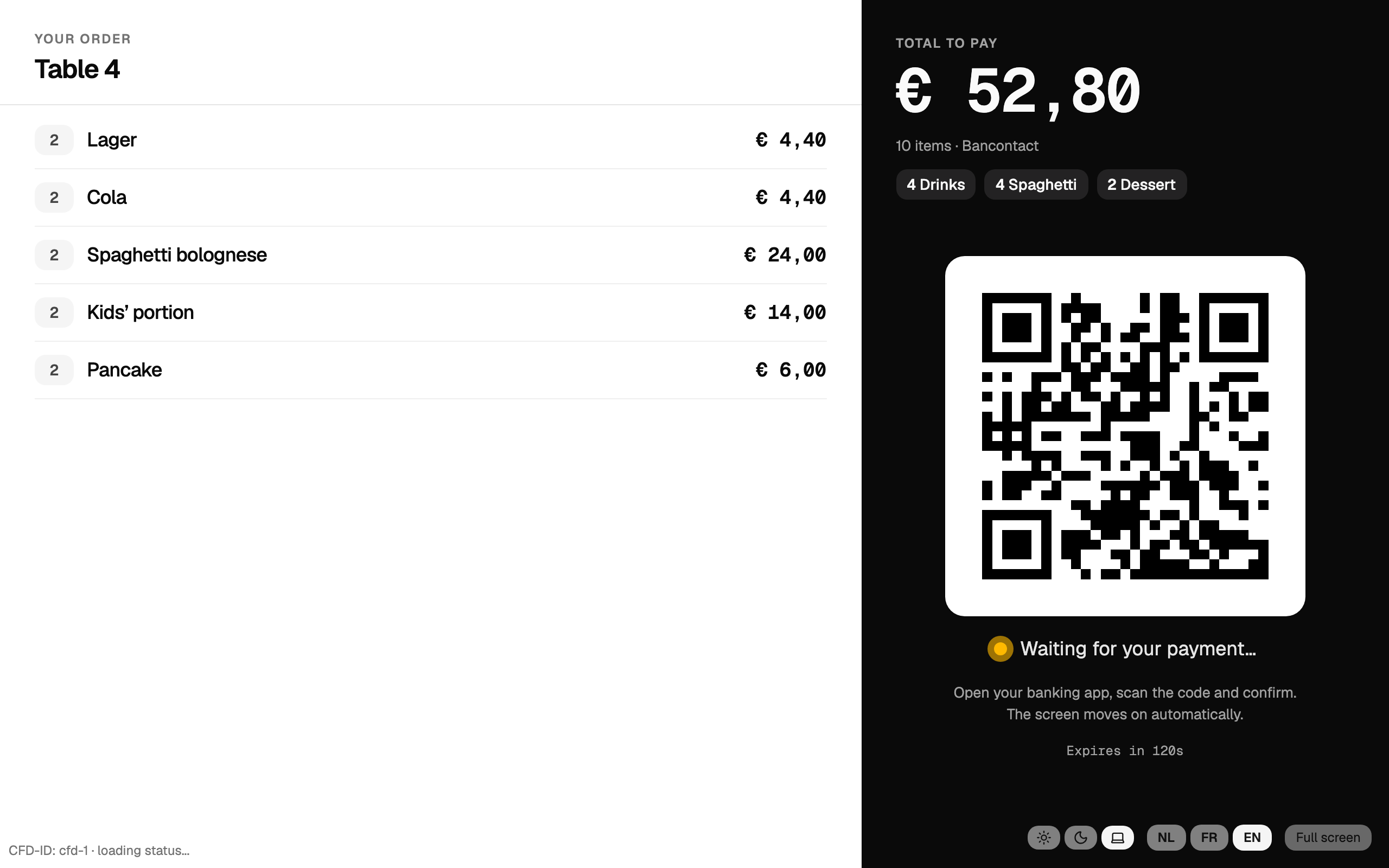
With Bancontact, the customer scans a QR code with the Bancontact app (or their bank’s app) and confirms the payment on their phone. The QR code shows on the customer display; the result comes back to the till by itself.
For real payments
What you need
A Bancontact Pro contract for your organisation (through bancontact.com), and a customer display next to the till (a tablet or second screen) where the customer can scan the QR code.
The API key
Sign in to the Bancontact Pro portal and copy your API key under Settings.
In the console
Go to Settings → Payment providers, click Set keys for Bancontact, enter the API key and choose Production as the Environment. Nothing else: Arcanum gives Bancontact the address for the result with every payment.
Link a customer display
On the till, open Settings → Link customer display, or click Open customer display for a second window on the same device.
Paying
Choose Bancontact when settling. The QR code shows on the customer display; as soon as the customer confirms, the bill is settled.
For testing, in Bancontact’s test environment (preprod)
Bancontact has a separate test environment, available on request only, as a Bancontact Pro merchant. Allow up to two weeks.
Request access
E-mail
devsupport@bancontact.comwith: your organisation’s name and company number, your Merchant ID, a contact person, and the integration type: own till system (Arcanum) on the Merchant Payment API v3, QR code on a customer display, result by callback. You get a separate API key for the test environment.The test app
Request the test version of the Bancontact app through tally.so/r/nP8P1Q. The regular app can’t pay test QR codes.
Test cards
Add one of Bancontact’s test cards in the test app:5127 8829 9999 9715- always approved5127 8829 9999 9723- insufficient funds5127 8829 9999 9731- refused by the bank
In a test organisation’s console
Settings → Payment providers → Bancontact → Set keys: the test API key, and Test (preprod) as the Environment. Use a separate organisation: an organisation has one Bancontact key.
Test a payment
Settle with Bancontact and scan the QR code with the test app. No real money changes hands.